Request History
Request Redirect History#
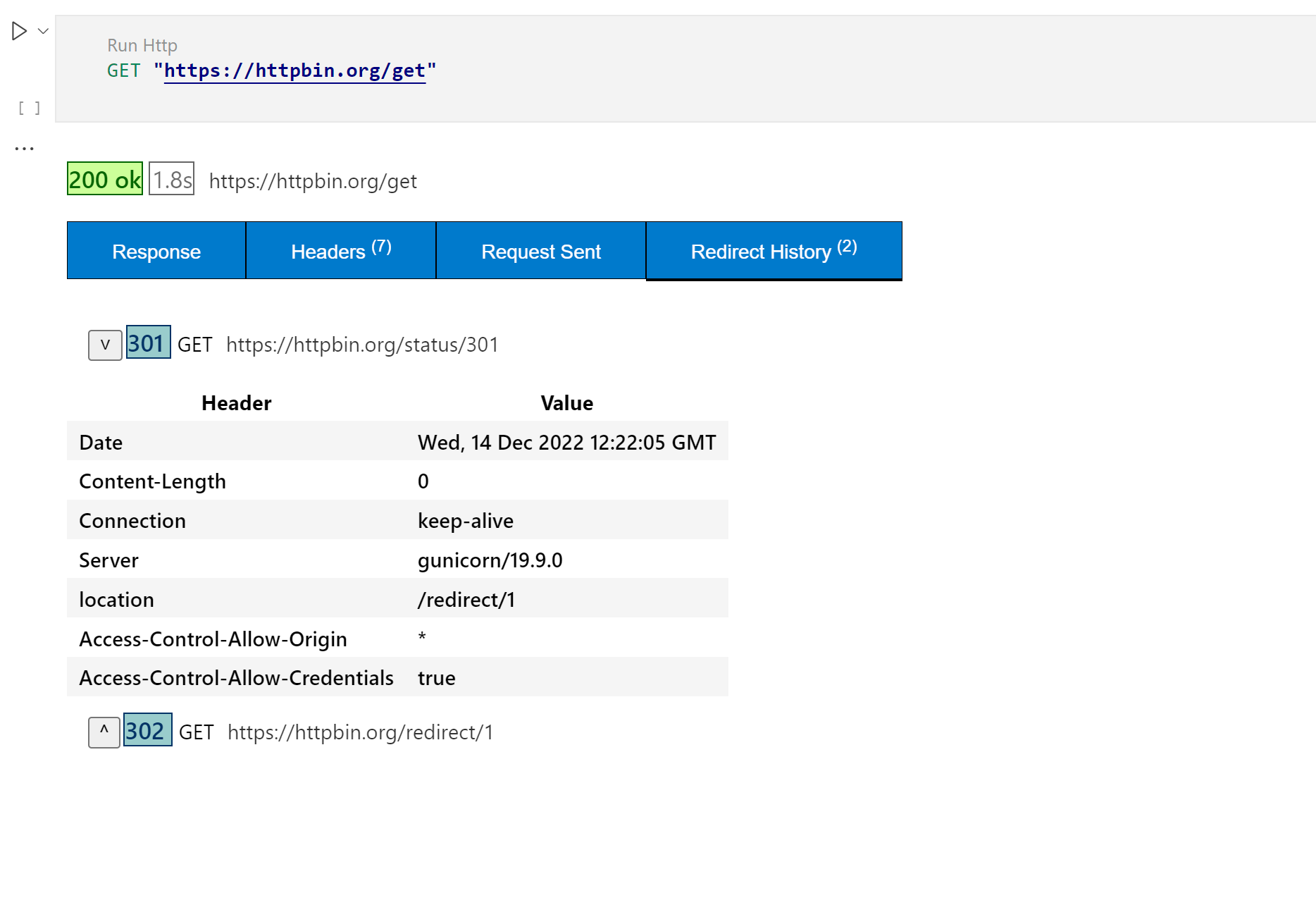
In HTTP, redirection is triggered by a server sending a special redirect response to a request. Redirect responses have status codes that start with 3, and a Location header holding the URL to redirect to.
Dothttp-runner can show redirect history via new tab. With Debugging request redirect history helps solve critical issues (Especially Authenticated history/Login history).
Request History Persistence#
Starting with version 1.0.66, dothttp-runner persists request history using SQLite (via node:sqlite). This provides:
- Fast queries: Instant access to historical requests
- Efficient storage: Optimized database storage for large histories
- Cross-session persistence: History survives restarts
- Export capability: Export history to notebooks for documentation
History Features#
- View past requests: See all executed HTTP requests in the history panel
- Show responses: Click on any history item to view the full response
- Export to notebook: Convert history items to
.httpbookformat for sharing - Filter and search: Find specific requests quickly
Accessing History#
- Open the Dothttp activity bar icon
- Navigate to the Dothttp history panel
- Browse your request history
- Right-click any item for options:
- Show Response: View the full response in a new tab
- Export Selected to Notebook: Create a notebook from selected requests
History Storage#
History is stored in a SQLite database at:
The database schema includes:
- Request URL, method, headers, body
- Response status, headers, body
- Timestamp and execution metadata
- Redirect chains (for tracking authentication flows)